Getting started
Choose your business type
Pick Company, Accounting / CA firm or Agency so Workclave uses words that fit your work, such as Clients and Vendors.
What the business type changes
The business type changes labels only. Your data, features and rules stay the same. You can change the type at any time.
| Business type | Description in the app | A team is called | A project is called |
|---|---|---|---|
| Company / other | Teams, projects and departments | Team | Project |
| Accounting / CA firm | You work for client companies and bill their vendors' hours | Client | Vendor |
| Agency / consultancy | You run client engagements | Client | Engagement |
Departments keep the name Departments in every business type.
Where you see the new labels
- The Projects item in the left menu, for example Vendors.
- The Projects page: the add button, the columns and the filters.
- The list next to Start session, for example “No vendor”.
- The Sessions page filters and columns.
- The Reports timesheet panel, for example Timesheet by vendor.
- The Settings tab Teams & Permissions, which becomes Clients & Permissions.
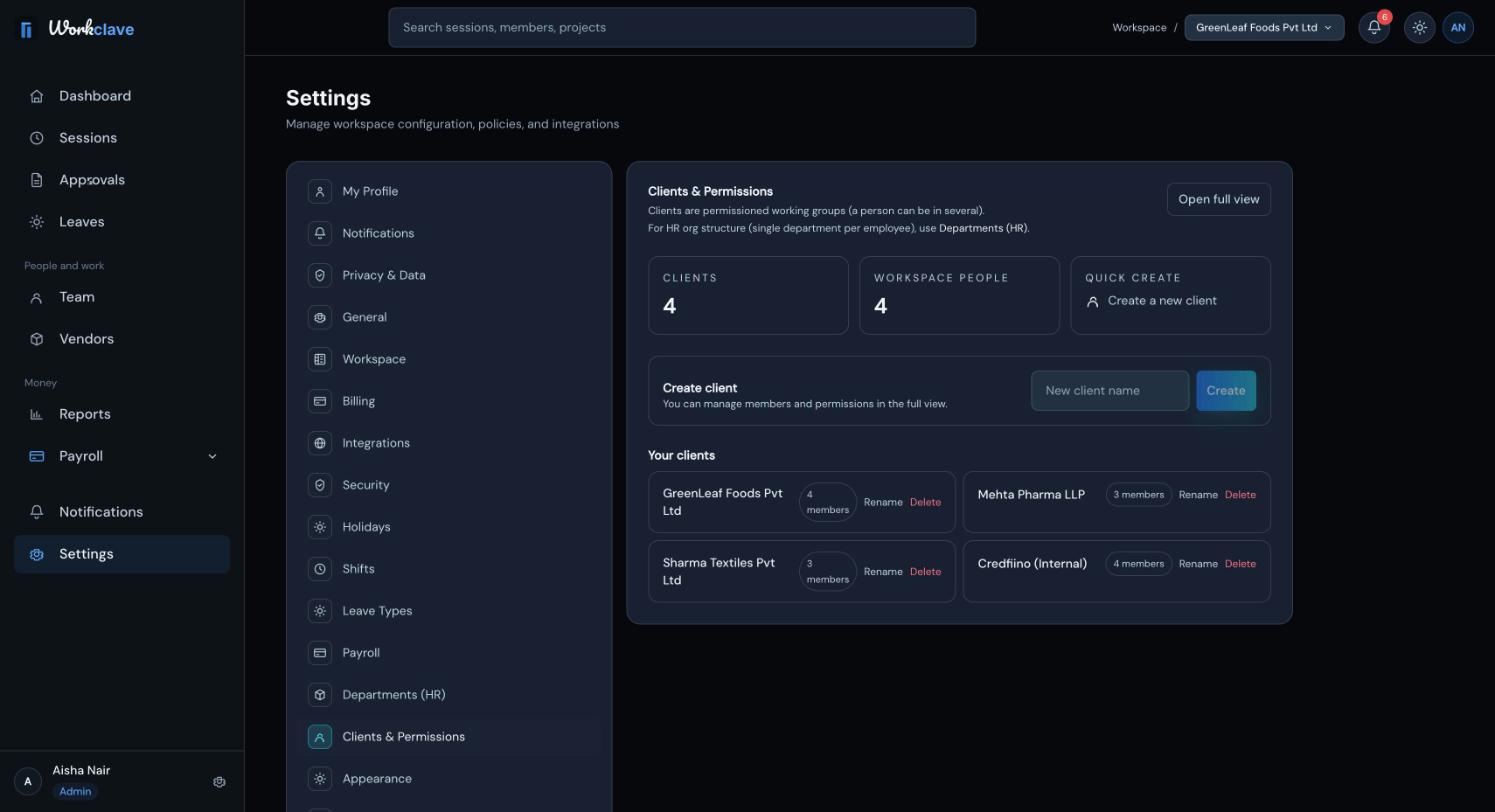
Screenshots in this help centre use the Company labels (Teams and Projects). The exceptions are the CA firm guide and the image above, which use Clients and Vendors.
Change your business type
- Go to Settings → Workspace. Only workspace admins see this tab.
- Open What kind of business are you? and choose a type.
- Click Save Changes. The page reloads with the new labels.
You can also choose the type during setup, in Step 2: Organization Details.
Related articles
A complete setup for a CA firm: clients, each client's vendors, staff, time logged per vendor, approval and a monthly timesheet CSV per client for billing.
Set up clients and engagements, track time per engagement and report client hours each month.
Change the workspace name, logo, work week, business type and automatic lunch break, and see what each Settings tab does.
Create, rename and delete teams. CA firms and agencies use teams as clients and attach projects to them.