Reports and payroll
Reports overview
The Reports page shows this month's hours, attendance, late check-ins, leave, a weekly digest, a timesheet by project and the attendance register.
Open Reports
Click Reports in the left menu. Workspace admins and team managers can open it. Use the department list at the top to see All departments or one department.
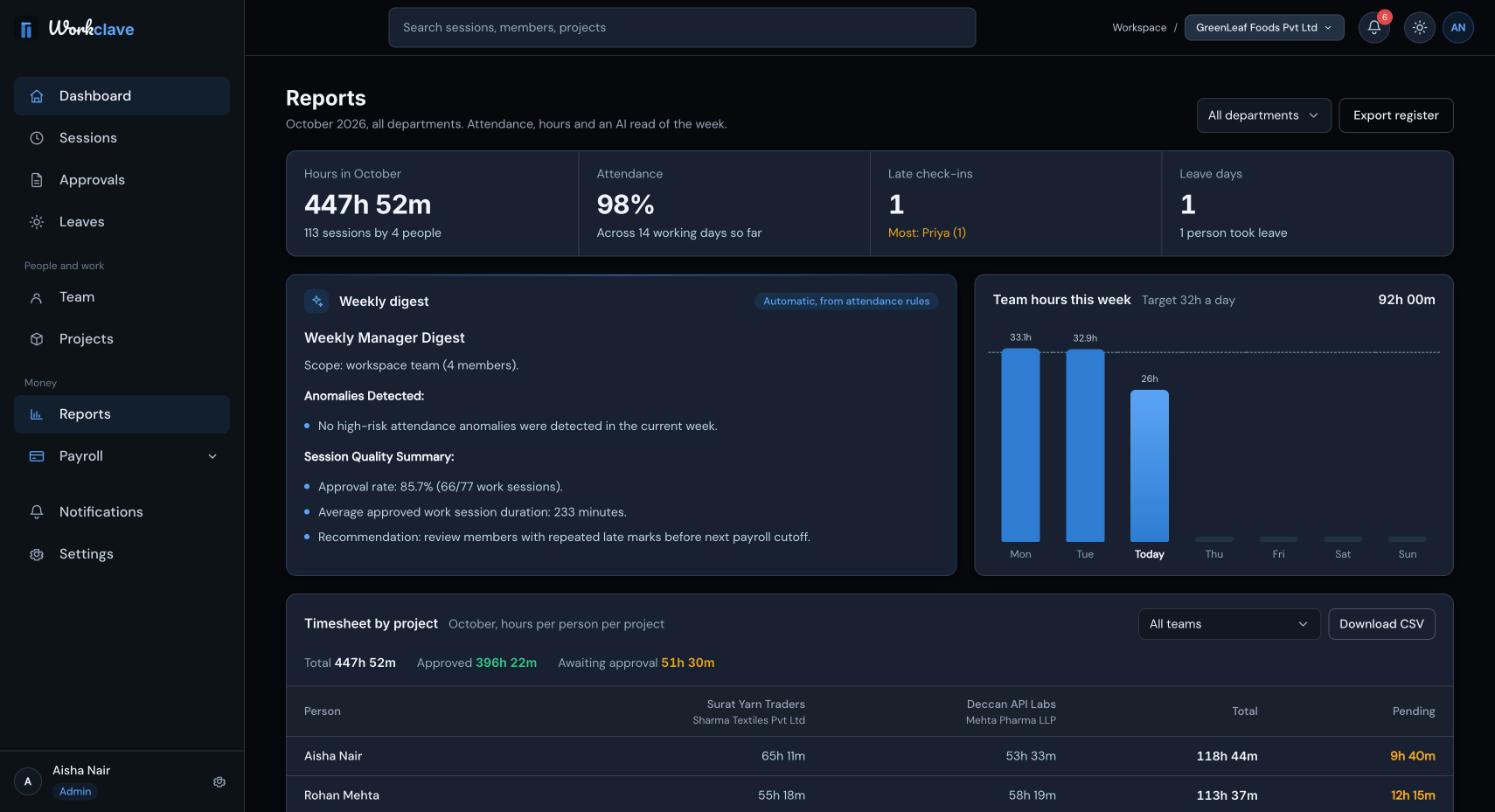
The Reports page always shows the current calendar month. For an earlier month, see Timesheets and client billing.
The summary figures
| Figure | Meaning |
|---|---|
| Hours in (month) | Hours logged this month, with the number of sessions and people. |
| Attendance | Average attendance across the working days so far. |
| Late check-ins | Late days this month, and who was late most often. |
| Leave days | Approved leave days this month. |
The report panels
- AI insights or Weekly digest: a short summary of the last 7 days compared with the 7 days before. When AI is turned on, the text is written by Claude. Otherwise Workclave writes it from attendance rules.
- Team hours this week: hours per day.
- Timesheet by project: hours per person per project. See Timesheets and client billing.
- People: Hours, Days present, Late, Leave and Attendance for each person.
- Departments: hours logged per department this month.
- Attendance register: a day-by-day grid. See Attendance register.
Who is included
- Workspace admins see everyone in the workspace.
- Team managers see themselves, people who report to them and people in the department they lead.
Set each person's Reporting Manager in their profile so managers see the right people.
How hours and attendance are counted
- Reports count sessions that are approved or waiting for approval. Rejected sessions are not counted.
- Payroll counts only approved sessions.
- Attendance % is present days, plus half of the half days, divided by working days so far. Weekends, holidays and leave days are not working days.
Related articles
Use the timesheet by project to see approved and pending hours per person and project, filter by client, and download a CSV for billing.
Read the monthly attendance register, understand each code and export it as CSV or PDF.
Create departments, place each person in one department and choose a Head of Department (HOD).