Admin and settings
Privacy and your data
Manage marketing emails, download a copy of your data and delete your account.
Open Privacy & Data
Go to Settings → Privacy & Data. This page helps you use your data rights under GDPR, India's DPDP Act and CCPA.
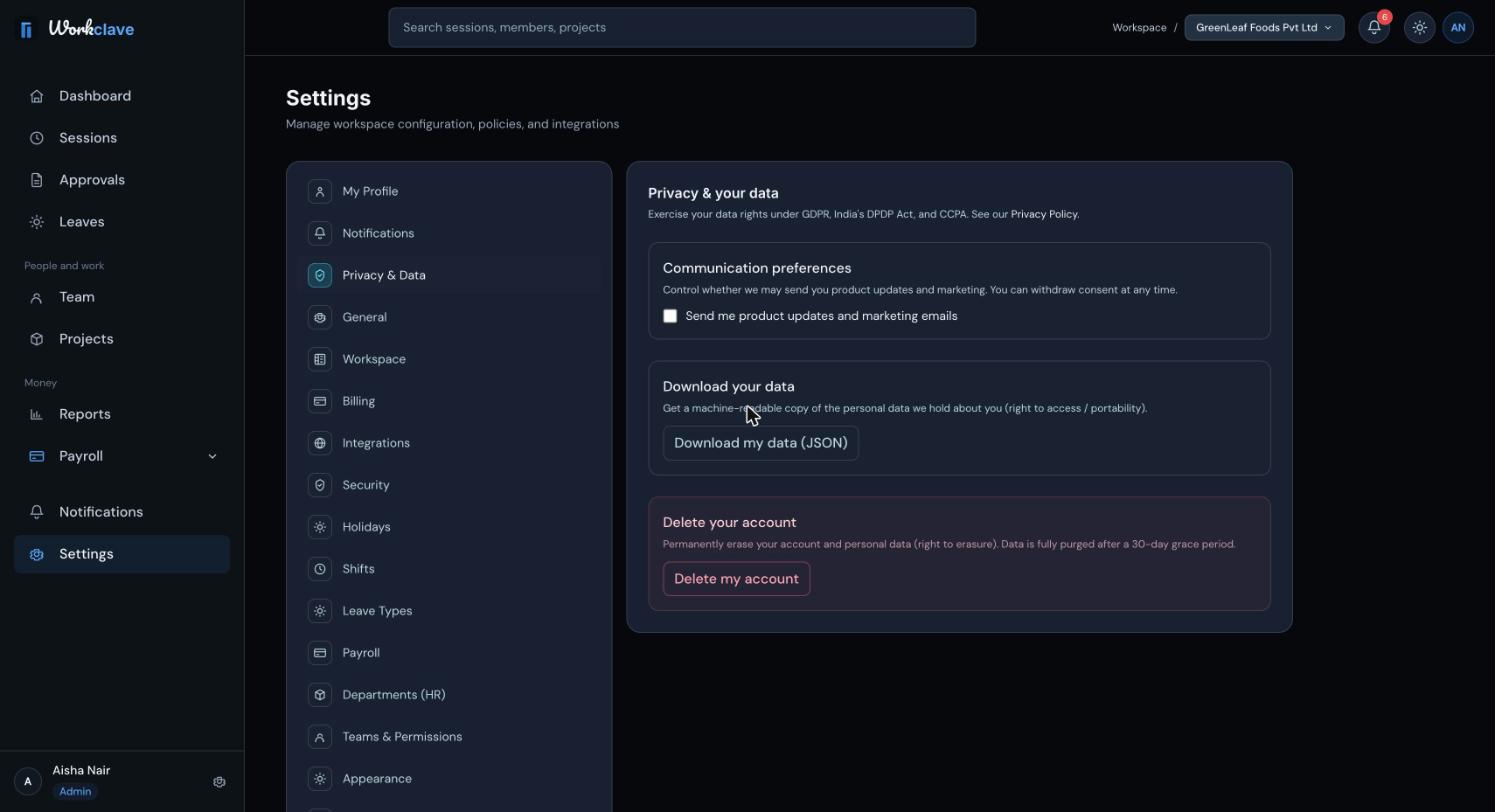
Marketing emails
Tick or untick Send me product updates and marketing emails. Workclave shows “Preferences updated.” You can change this at any time.
Download your data
- Click Download my data (JSON).
- Wait for “Your data export has been downloaded.”
- Open the file
my-data-export.json.
The file includes your profile, sessions, approvals you made, notifications, team and project memberships, leave requests and balances, and payslips.
Delete your account
- Click Delete my account.
- Read the message and confirm.
- Workclave signs you out.
Your name, email, phone and password are removed at once, and you cannot sign in again. All personal data is fully purged after a 30-day grace period. This cannot be undone.
If you are the only workspace admin, you see “You are the only workspace admin. Transfer ownership or close the workspace before deleting your account.”
Related articles
Update your name, phone, timezone and job details, and learn which fields only admins can change.
Passwords, email verification, signing out, and the security protections built into Workclave.
Change the workspace name, logo, work week, business type and automatic lunch break, and see what each Settings tab does.